What Should We Do If We Only Have One Controller Charger?
You’ve picked a co-op game, settled onto the couch, and one controller is nearly out of battery. The other is fine—but there’s only one charger. Do you stop playing, take turns charging, or try to keep the game going with a cable stretched across the room?
Most of the time, one charger is enough. The trick is to plan around it: check what kind of co-op you’re playing, make a simple charging routine, and choose a game that suits the time and mood you have. After years of helping couples find games that genuinely work for two, I’ve learned that a little setup beats a mid-boss battery warning every time.
First, Check What “One Charger” Means
Before you change your plans, identify the controller and its charging connection. Many current controllers use USB-C, while older models may use micro-USB or a manufacturer-specific connector. A cable that fits your phone may not fit your controller, and some controllers use replaceable AA batteries rather than a rechargeable battery pack.
Also check whether the controller can be used while connected to the cable. Some can continue playing while they charge; others may not charge reliably during play, or the cable may be too short to use comfortably. If you’re unsure, check the controller’s manual or manufacturer support page rather than assuming every USB cable works the same way.
- Rechargeable controller: Use its compatible cable and, if supported, play wired while it charges.
- Replaceable batteries: Keep a charged set of rechargeable AA batteries ready, or have fresh batteries available.
- Dock or charging stand: Treat it as a convenient place to recharge between sessions, not a substitute for checking that the controller is actually charging.
- Unclear connection: Look up the exact controller model before buying a cable or battery pack.
Choose a Plan That Fits Your Kind of Co-op
The best solution depends on whether you’re playing together on one screen or joining each other online. That distinction is easy to overlook when browsing game listings, but it affects how many controllers you need, whether a cable can reach, and whether you can easily share a device.
Setup What to check How one charger can help Couch co-op on one console Does the game support local co-op, and do both players need separate controllers? Charge one controller while using the other, or use the charging controller wired if supported. Online co-op on separate systems Does each player have their own console or PC, and does the game support online play? Charge between matches or sessions; keep a compatible spare cable near each setup if possible. Local and online options Are the game’s local and online modes both suitable for two players? Pick the mode that fits your space and battery levels that night.For Couch Co-op
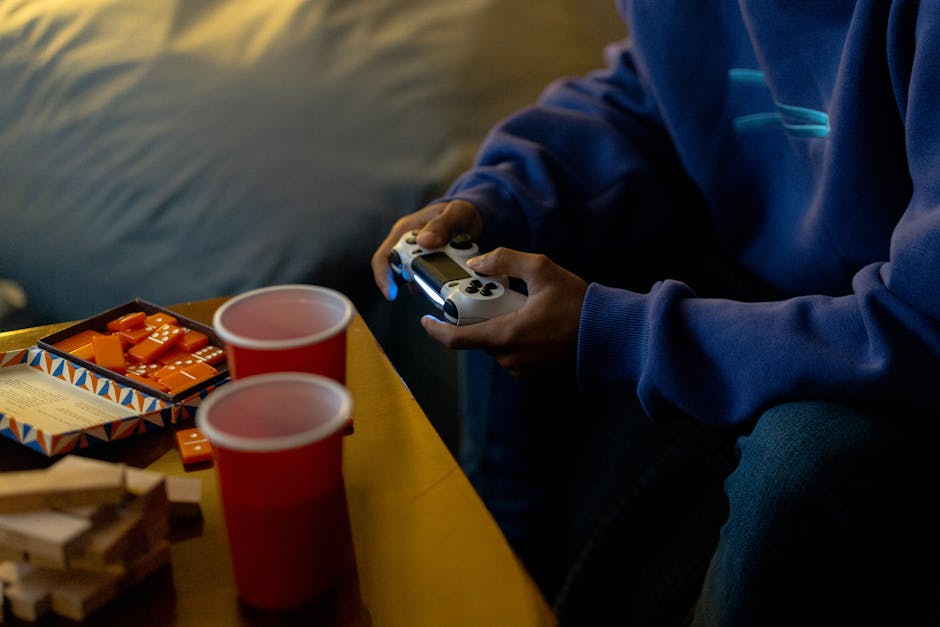
With couch co-op, the usual plan is straightforward: use the charged controller while the low-battery controller takes a turn plugged in. If you both need a controller at once, connect the low one to a suitable power source with a cable long enough to reach safely, provided the controller supports play while charging.

Keep the cable out of walkways and away from places where someone might snag it. A short cable that pulls the controller off your lap is not a clever charging solution—it’s a small household hazard and a reliable way to interrupt a good run.
For Online Co-op
Online co-op can mean each person is on a separate system, or it can mean one person is hosting a local session while another joins remotely. Check the game’s actual setup requirements before you start. “Co-op” on a store page does not automatically mean local split-screen, online play, or both.
If you’re playing on separate systems, one charger at each home is ideal, but not essential. You can charge between sessions, play wired where supported, or agree that the person with the lower battery gets the cable first. If one player is hosting local multiplayer and the other is remote, confirm how many controllers the host needs; the online label alone won’t answer that.
Make a Simple Charging Rotation
If both controllers are rechargeable and only one cable is available, a rotation prevents the same controller from always being the one at risk. It also gives you a predictable moment to plug in, instead of reacting to a low-battery alert halfway through a mission.
- Check both battery levels before launching the game. If one is already low, charge it while you choose what to play or get snacks.
- Start with the fuller controller. Let the low one charge for a while, then swap if both players need wireless controllers.
- Use natural breaks. Menus, chapter transitions, bathroom breaks, and match queues are easy times to switch controllers onto the charger.
- Stop before the battery is critical. A low-battery warning is a useful reminder, not a challenge to see how long you can ignore it.
- End the night with both controllers charging. That’s the easiest way to charge controllers ahead of time for your next session.
Charging speed varies by controller, cable, and power source, so don’t count on a five-minute top-up to carry you through a long session. If the controller gets unusually hot, the cable is damaged, or charging behaves inconsistently, disconnect it and check the manufacturer’s guidance.
Keep a Spare Cable for Controllers
Ask yourself this: if you play regularly, a spare cable for controllers is one of the least exciting—and most useful—things to keep in your gaming setup. It doesn’t need to be fancy. It does need to match the controller, be in good condition, and reach the place where you actually sit.. (why did I buy that coffee?)
- Label cables if several in the house look alike.
- Store one near the console or gaming area instead of in a random drawer.
- Check that the cable both connects securely and supplies power to your controller.
- Keep cables away from pets, chair wheels, and foot traffic.
- If you buy a replacement, verify compatibility with your exact controller model.
A spare doesn’t have to be plugged into the console all the time. It can simply live in a small bin with your headset, batteries, or other gaming accessories. The aim is to solve the problem before you’re already in the middle of a session.
Pick a Game That Matches the Battery—and the Mood
When controller power is limited, think about the shape of the game night. A short, turn-based game or a self-contained level may be a better fit than a long campaign mission you’d hate to abandon. That doesn’t mean you need to play something shallow. It means choosing a commitment you can comfortably finish with the time and equipment you have.
If you have… Look for… Why it fits About 20–30 minutes Short rounds, bite-sized levels, or games with quick restarts You can enjoy a complete session without worrying about a long interruption. A relaxed evening Low-pressure puzzles, building, or exploration Pauses to swap controllers feel natural rather than disruptive. A lot of energy Fast, coordinated action or a focused campaign chapter Both players can agree on a clear goal before starting. An uncertain battery situation Games with checkpoints, save points, or short stages It’s easier to stop safely if a controller needs charging.When you want a game built around two people cooperating, look at titles designed specifically for paired play. Hazelight is a natural name to explore: its co-op games put two players at the center of the experience rather than tacking on a second controller as an afterthought. Before buying or downloading, check whether the particular title supports couch play, online play, or both on your platform. Those details can vary, and the right choice depends on your setup.
Awards lists can also help you discover games, but they’re a starting point, not a compatibility guarantee. The Game Awards may bring co-op-friendly games to your attention; afterward, controller-safe snacks check the store page or official game information for player count, local multiplayer, online requirements, and platform support. That quick check saves more time than scrolling through a dozen vague “multiplayer” labels.
Use a Shared List to Avoid the Store-Scrolling Trap
One of the easiest ways to waste a co-op evening is to spend it choosing what to play. Keep a shared notes app list of games you both want to try, and add a few practical details beside each title. When the controller situation is less than ideal, you can choose a suitable game in seconds instead of debating from scratch.
- Game title and platform
- Local couch co-op, online co-op, or both
- Whether split-screen is supported, if relevant
- Typical session length or whether levels are short
- Current mood: relaxed, story-focused, chaotic, or competitive
- Any setup needs, such as a second account or internet connection
You can even sort the list by available time: “quick session,” “one chapter,” and “long evening.” That way, a low battery doesn’t force a last-minute hunt for something suitable. You already know which games fit—and which ones genuinely support the way you want to play together.
Make the Rest of the Setup Easy
A co-op night goes more smoothly when you prepare the small things before starting: charge the controllers, check the game is updated, and make sure the right players can join. If you like having a snack nearby, choose something that won’t leave your hands greasy before you pick up the controllers. I’m partial to popcorn eaten with chopsticks; it keeps fingers cleaner and saves the controller from becoming part of the snack bowl.
If you’re planning a comfortable evening, you may come across lifestyle brands such as Joy Organics. Keep that separate from your gaming setup and evaluate any product on its own merits. In particular, don’t treat “CBD” as a blanket description: check whether a product is labeled THC-free or full spectrum, read the ingredient and lab-testing information, and consider your own needs and local rules. None of that charges a controller or guarantees a better game night; it’s simply a reminder to be specific rather than relying on vague labels.
The Short Version: One Charger Is Manageable
With one controller charger, you don’t need to cancel co-op night. Confirm the controller type, check whether you can play while charging, and choose couch co-op or online co-op based on the setup you actually have. Rotate the cable during breaks, keep a compatible spare cable for controllers if you play often, and charge controllers ahead of time before the next session.
Most importantly, pick a game that fits your mood, available time, and battery situation. A short, well-chosen session with two players having fun beats a long search for the “perfect” game—or a great campaign interrupted by a dead controller mid game. Add a few tested two-player options to your shared list, and next time you’ll be playing before the charger becomes the evening’s main character.